AI-powered workflows for data-driven instruction, actionable insights, and curriculum alignment
Pear Deck Learning

Pear Deck Learning is launching new and enhanced features to help unify learning and assessment in a single platform. These AI-powered features will support the adoption of district-wide curriculum, help teachers use insights to guide daily instruction, and make high-quality content easier to access and use.
Today, we’re introducing:
- More control within Instant Lesson Packages, so teachers can easily refine, customize, and transform AI-generated content
- New test-to-teach and teach-to-test pathways to make data-driven instruction more doable
- A faster way to uncover trends in student data
- An expansion of the Content Converter to bulk-upload curriculum structures and existing materials
Easily edit and refine AI-generated content
Since last Summer, teachers have been using Instant Lesson Packages to generate interactive Pear Deck lessons, practice sets, and Pear Assessment tests. Based on your feedback, we’ve enhanced this process by giving teachers more control of the generated content at every step.
When teachers click on “Generate with AI” or “Instant Lesson Packages” anywhere in Pear Deck Learning, they can generate a classroom-ready lesson or assessment from a topic, standard, or uploaded file. Instead of jumping straight into content generation, we’ll now show refinement prompts, auto-suggested standards, and a selection list of subtopics:
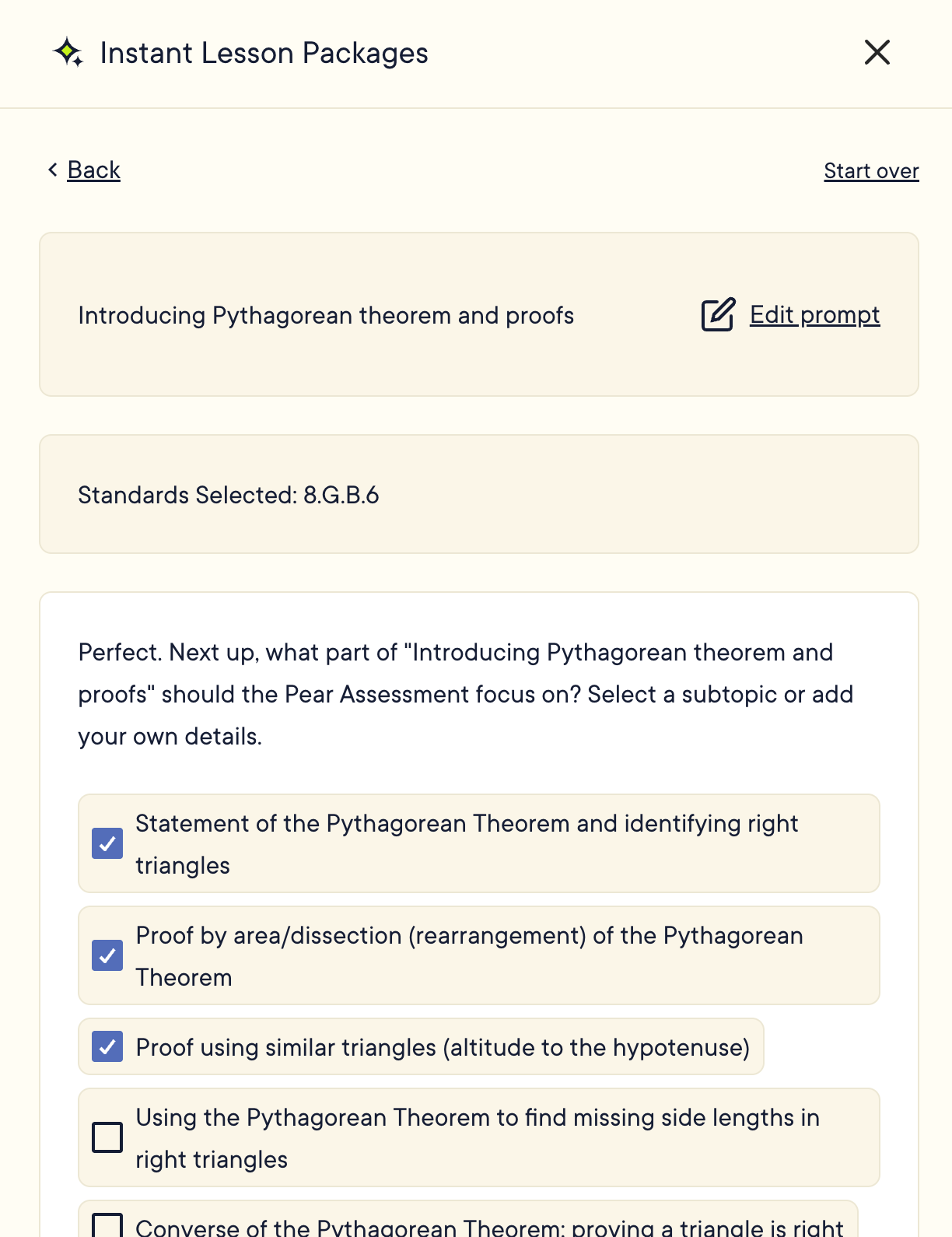
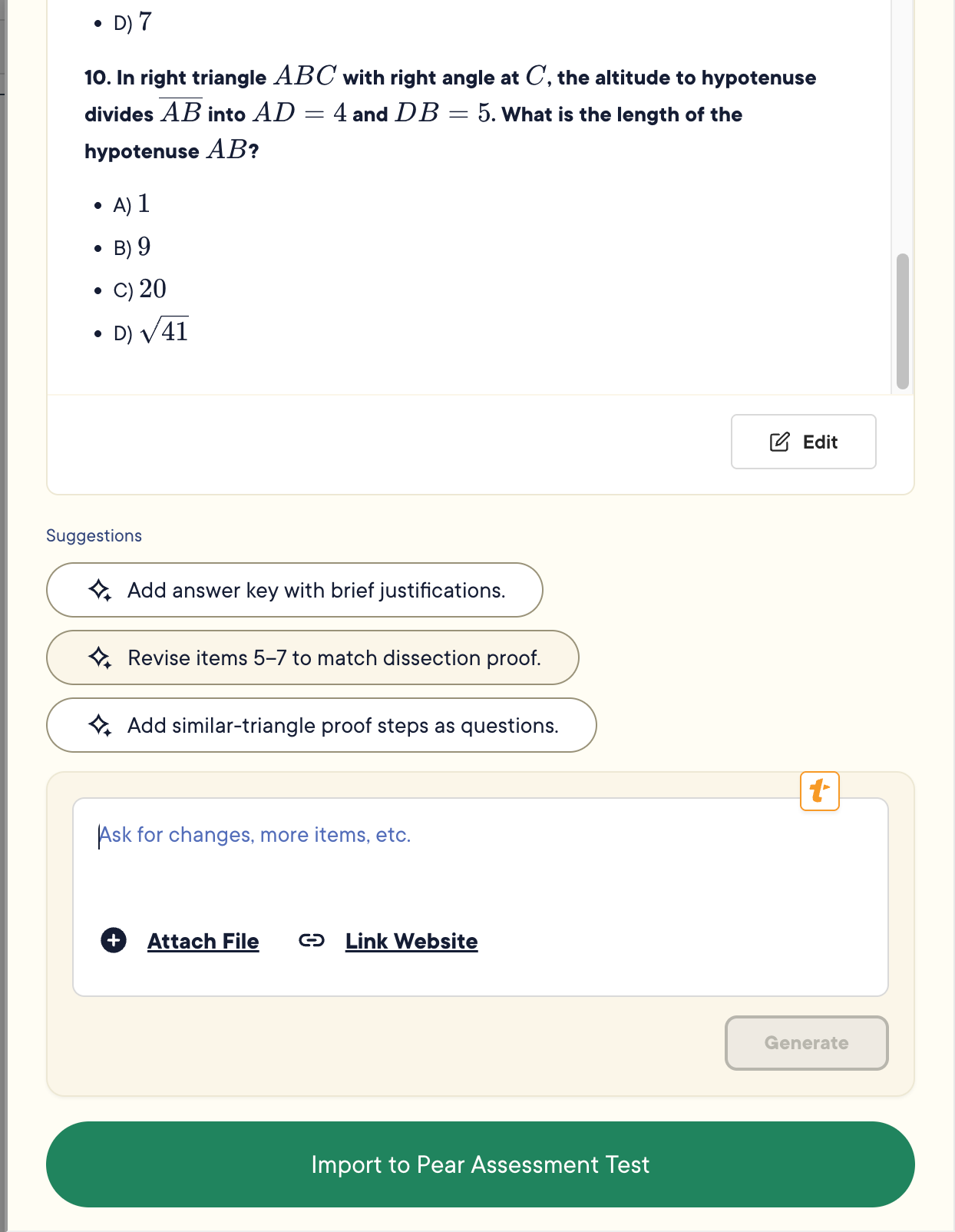
Teachers can then revise questions or slide content using a text-based editor before transforming the content into classroom-ready Pear Deck slides or Pear Assessment tests. This new preview step lets you edit the generated output directly or ask for changes with a follow-up prompt:
Learn more about generating content in Pear Deck
Go from testing to teaching with differentiated lesson recommendations
Instant Insights is now fully implemented in Pear Assessment, creating new test-to-teach pathways for teachers. On the Live Class Board, teachers will see a new 'Identify Learning Gaps' button, which shows them students grouped by test performance.
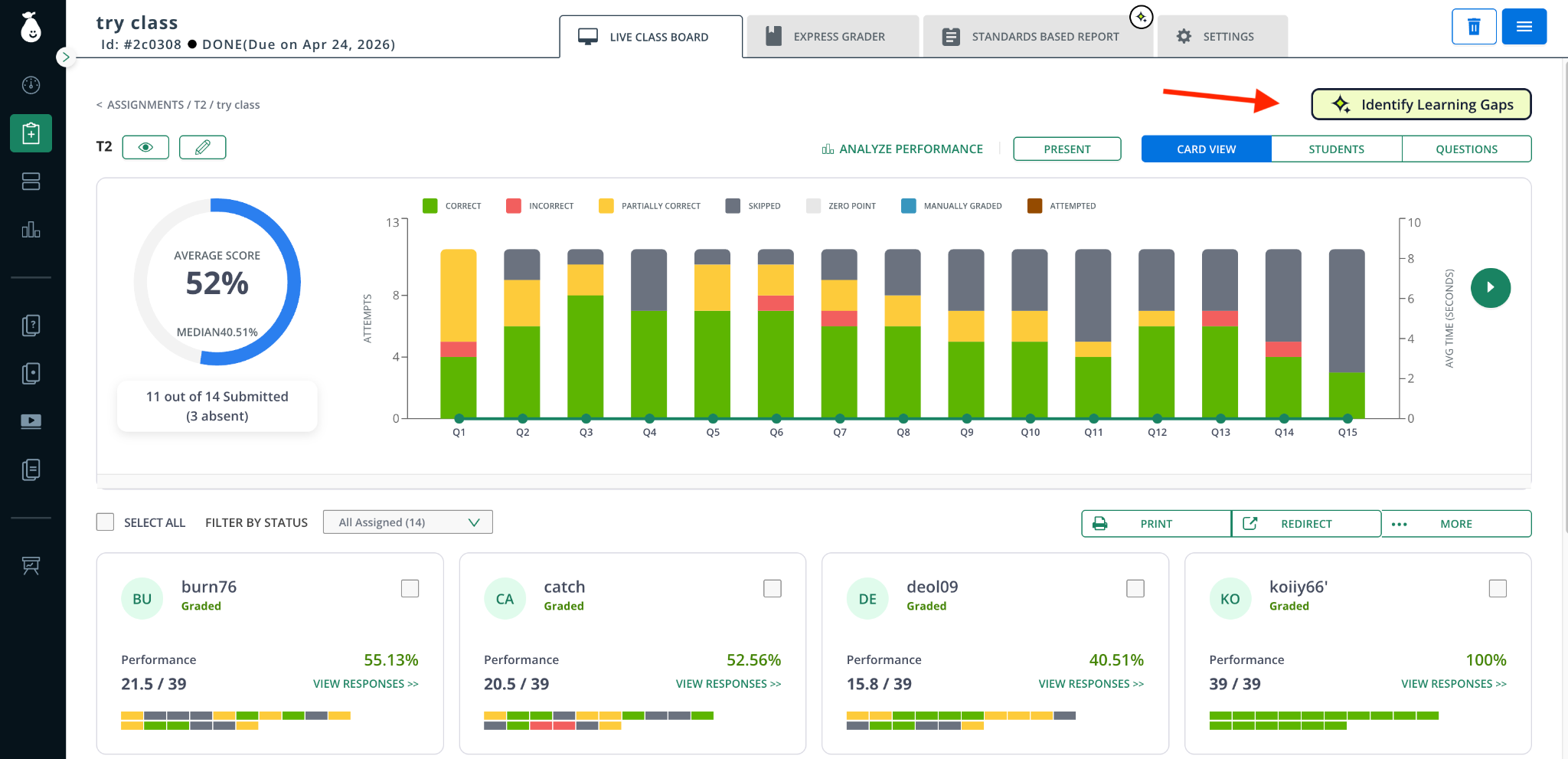
Students are grouped based on their performance across the standards of the assignment.
For each group, teachers can review the average mastery and recommendations for differentiated follow-up. Besides the ability to generate differentiated content, we’ve now added a Recommended Content section. This surfaces relevant content for this student group, such as uploaded curriculum, existing Pear Deck lessons, or district-authored assessments.
Learn how to use this tool to make data-driven instruction less manual
Navigate Pear Assessment with the Chatbot Assistant
You can now find a new Chatbot Assistant at the bottom right of Pear Assessment. This on-demand assistant helps you navigate the platform, find specific reports, and answer data-related questions about the report you are currently viewing.
For example, Peary AI can help answer, "How do I configure the anti-cheating features for an assignment?" or "How do I find the Question Analysis report?".
Gain report insights with Actionable Highlights
Spot trends in Pear Assessment reports effortlessly with AI-generated data summaries at the top of the report. These Actionable Highlights help teachers and administrators quickly understand student performance without needing to dig through the data.
The actionable highlight includes an overview of overall student or group performance with benchmark comparisons, standards, or subjects where performance is strong, and areas for improvement.
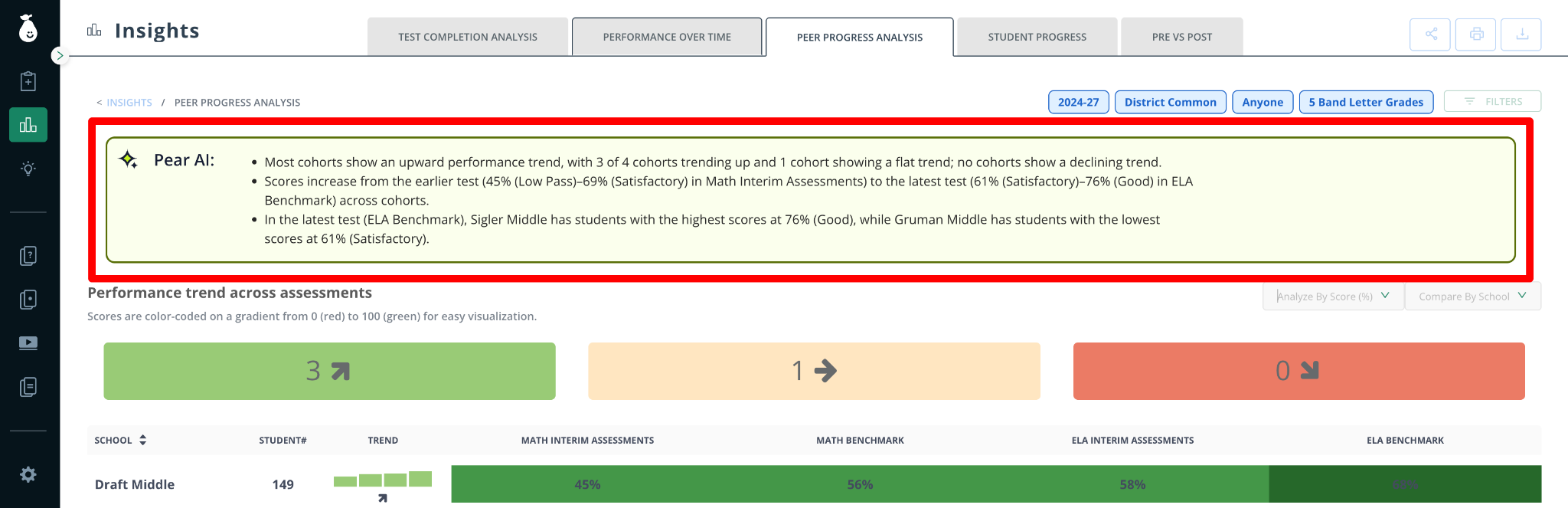
You can use Peary AI to ask any question about the data. The chatbot will answer based on the report you’re viewing and help you navigate to other views.
Find relevant items faster
Pear Assessment is continuing to improve the search functionality to help you find relevant, high-quality items and tests quickly. We’ve added district bank filters, keyword matching, and semantic matching, and are now prioritizing district and licensed content in the search results.
View all scores and responses in one consolidated view
View test scores and student responses from across the entire Pear Deck Learning suite in one consolidated view with Longitudinal Student Profiles.
Go to "See Class Reports” and use the filters at the top to refine data. Class profiles feature a top-level AI summary of mastery and color-coded domains to quickly signal which standards need urgent intervention.
The actionable highlights at the top of the report focus on key trends, areas of concern, and actionable summaries of the data.
We’re adding Longitudinal Student Profiles to the beta experience next week.
Align Content to Curriculum with Scope & Sequencing Import
Scale high-quality, district-approved resources by making them immediately accessible to your staff within Pear Deck Learning. Our new Scope & Sequencing Import feature allows you to upload your district’s pacing guides and curricular outlines. We’ll automatically extract modules, topics, sequencing, and pacing, and seamlessly auto-attach the relevant standards to your topics. This enables teachers to map their Pear Deck Learning content to the district curriculum and track progress against it.
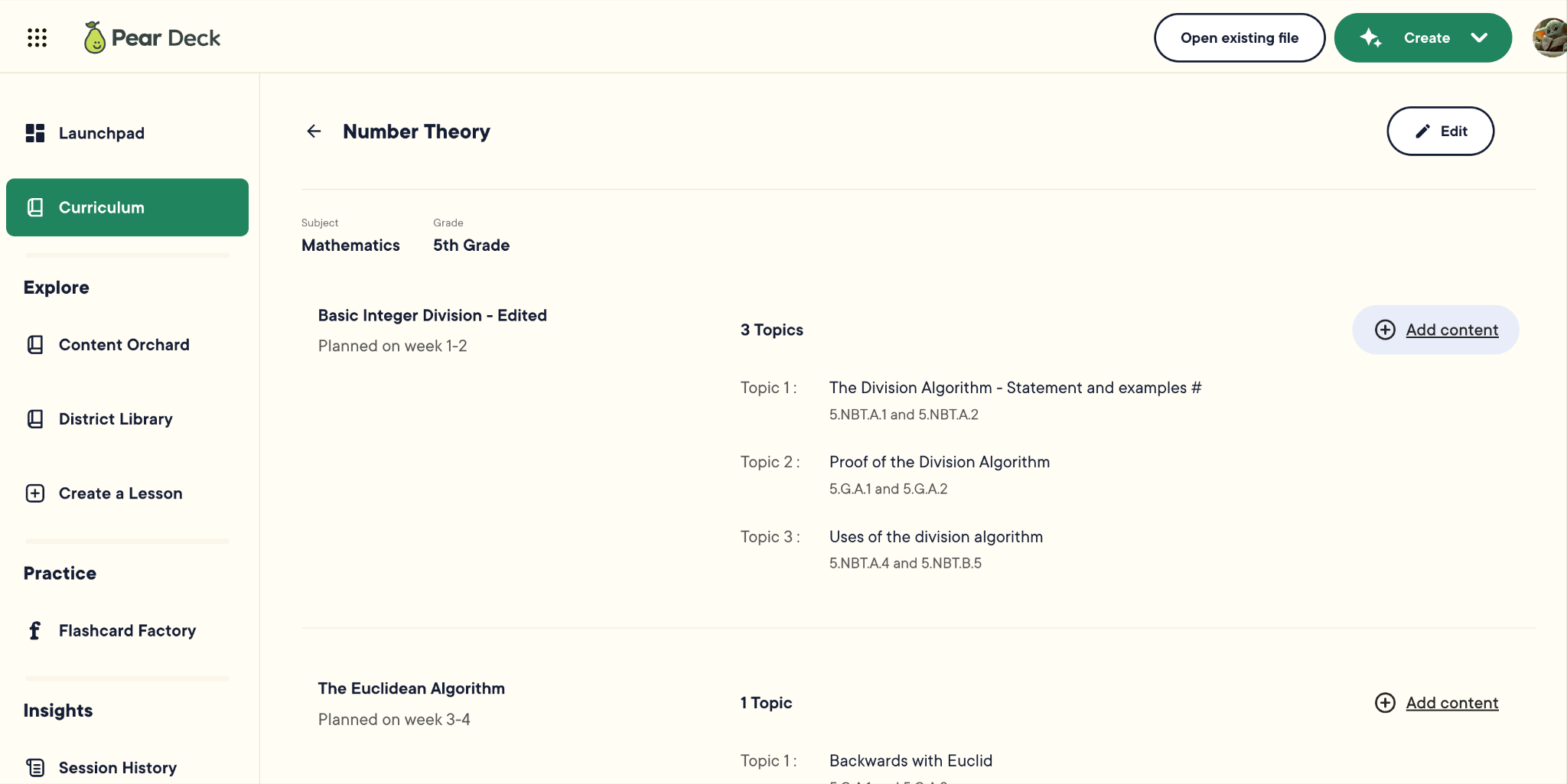
Learn how to use the Scope & Sequencing Import
Upload Existing Content, At Scale
We’re expanding our popular Content Converter to allow the upload of multiple files at once.
Last Summer, Pear Deck Learning created Content Converter to easily ingest years’ worth of existing materials and transform them into Pear Deck slides, Pear Practice collaboration activities, or tests in Pear Assessments. This is now available as a bulk upload (up to 25 files at once) for teachers and curriculum teams.
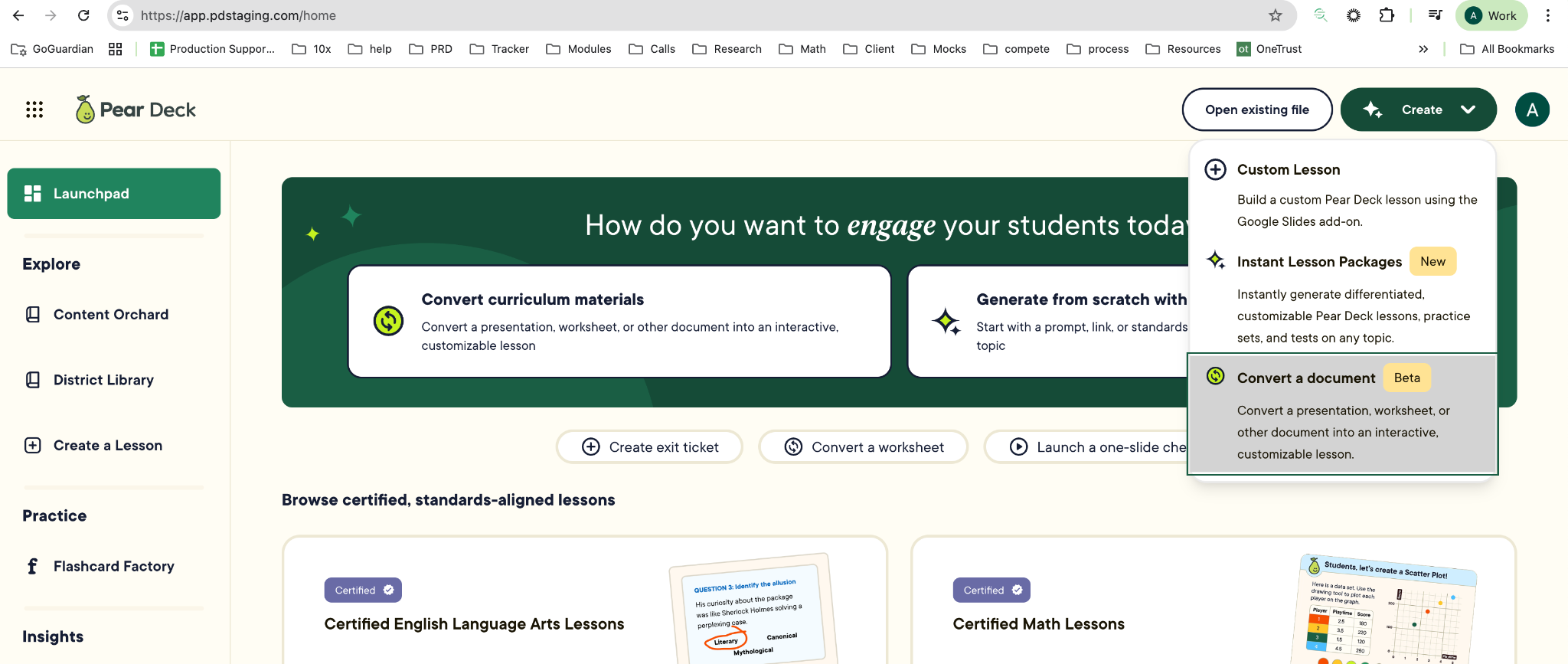
If you have imported your pacing guides into the Scope & Sequencing Import, you can map this newly converted content to your district's curriculum structure, making it highly organized and accessible to all teachers on day one.
Learn more about the Content Converter

